

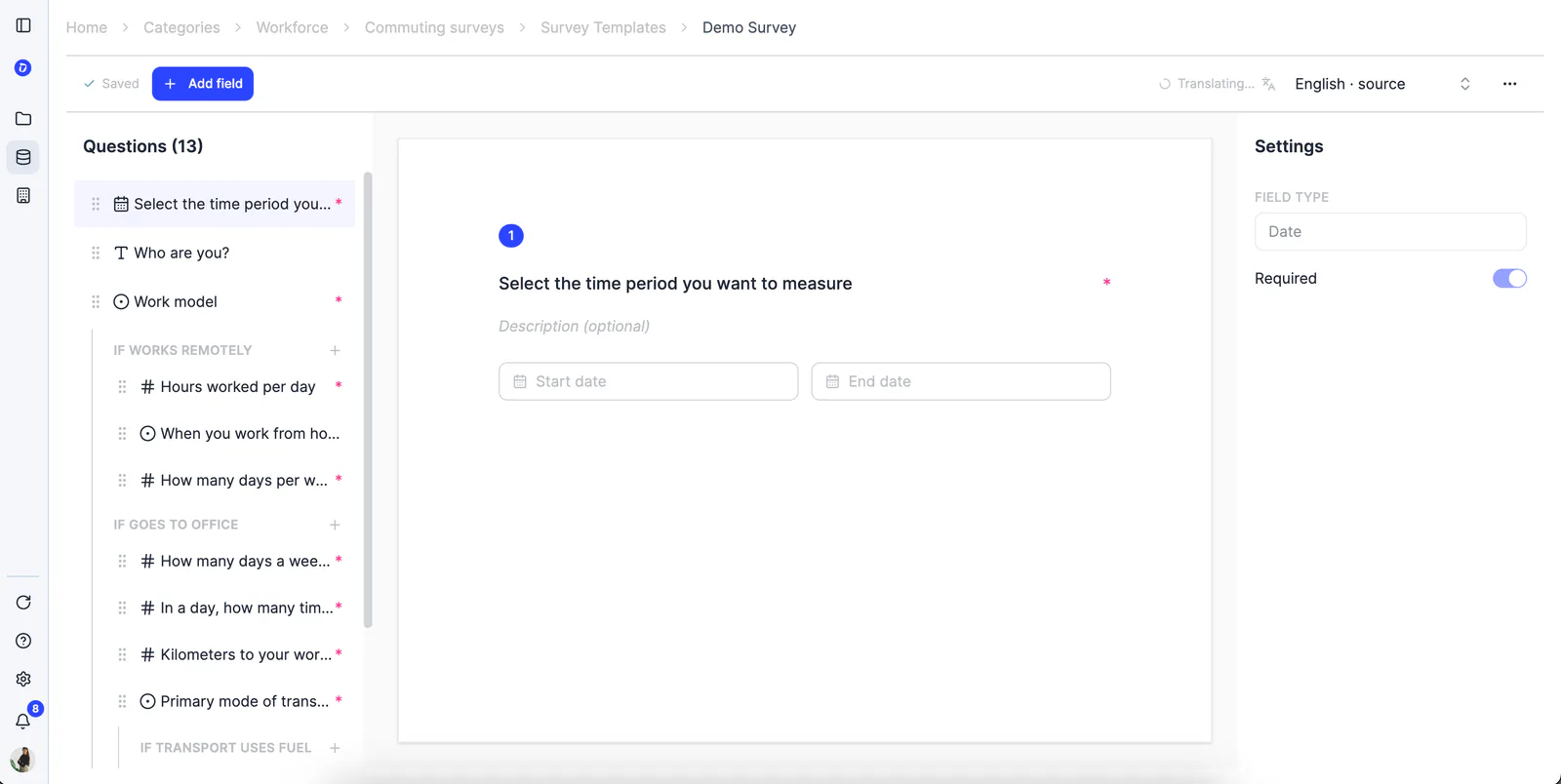

Mobility surveys, tailored to you
We know every company is different, and the mobility survey shouldn’t be the same for all of them. That’s why you can now create your own custom surveys directly from Dcycle.
Start by choosing how your team works: on-site only, remote only, or hybrid. From there, you’ll get a base template adapted to that model.
Change the titles or descriptions of existing questions, reorder them, or add new ones. The only questions you can’t remove are the ones required for emissions calculations, everything else is up to you.
Set up which questions appear based on previous answers, so each employee only sees what’s relevant to them.
Send the survey in the language you prefer: translations are generated automatically and instantly, with no waiting or extra setup.
Access responses in table or detail view, as soon as they come in. You can also rename columns to display the information the way that works best for you.
**Where to find it? **Go to Own Workforce → Mobility Surveys → Survey Templates. From there you can edit an existing template or create a new one, starting by choosing your employees’ work model.
More flexibility, more customization, and surveys that adapt to you, not the other way around. 🚀