

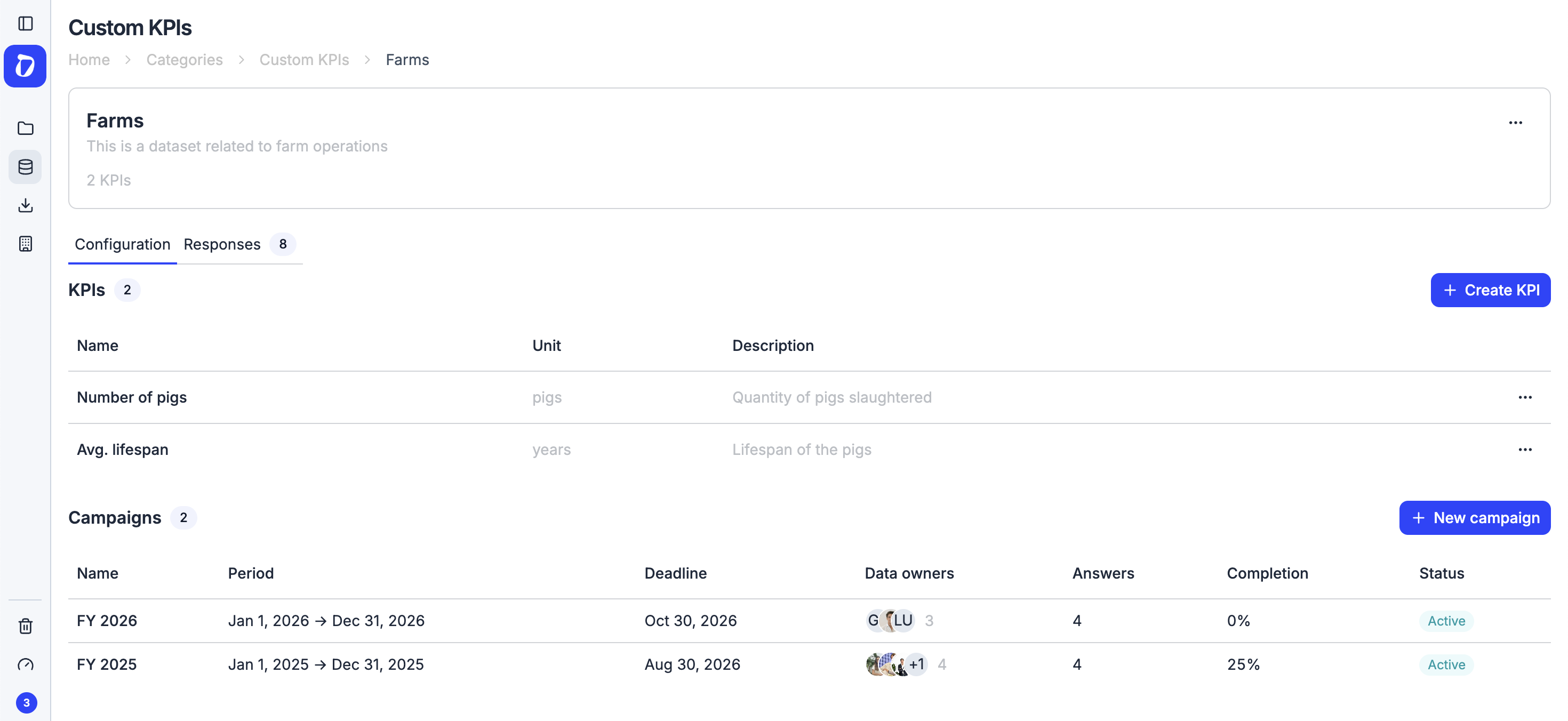

What are custom KPI campaigns
We’ve added campaigns to custom KPI datasets. You can now coordinate the collection of custom indicator data in a structured way: define a reporting period, set a submission deadline, and choose who needs to contribute.
With campaigns you can:
- Create data collection rounds with start dates, end dates, and submission deadlines
- Invite data owners from each organization or facility
- Track the status of each participant (awaiting, partial, completed)
- Lock the campaign once collection is complete to preserve the data
- View all submitted values in one centralized place
How it works
Inside any custom KPI dataset, go to the Campaigns section and create a new one. Set the name, reporting period, and deadline. Then add recipients: choose a subset of the existing dataset assignments or add new data owners directly from the campaign.
Once the campaign is set up, send invitations with a single click. Each recipient gets a direct link to fill in their KPI values. From the campaign dashboard you can see at any time who has completed their submission and who still needs to respond.
Why it matters
Collecting sustainability data from multiple entities such as subsidiaries, suppliers, or facilities usually means managing emails, spreadsheets, and deadlines by hand. Campaigns bring all of this into one place: every stakeholder knows exactly what to fill in and when, and you have full visibility over progress in a single view.
When all data is collected, lock the campaign to ensure the values stay unchanged and move straight to analysis.