
What’s new
Introducing bulk upload of custom emission factors for the purchases category. Instead of entering each emission factor one by one, simply upload a CSV or Excel file with all your data and the system will import it automatically.
You can also register purchases in bulk using your own custom emission factors, choosing the calculation method that best fits your needs.
How it works
The import process is straightforward and guided in four steps:
-
Upload your file in CSV or Excel format with your emission factors or purchases data.
-
Select the sheet from the document containing the relevant information.
-
Match the columns to the system fields. The tool automatically detects and maps columns like Material (Item), Emission factor (kgCO2e), Reference unit, and Supplier.
-
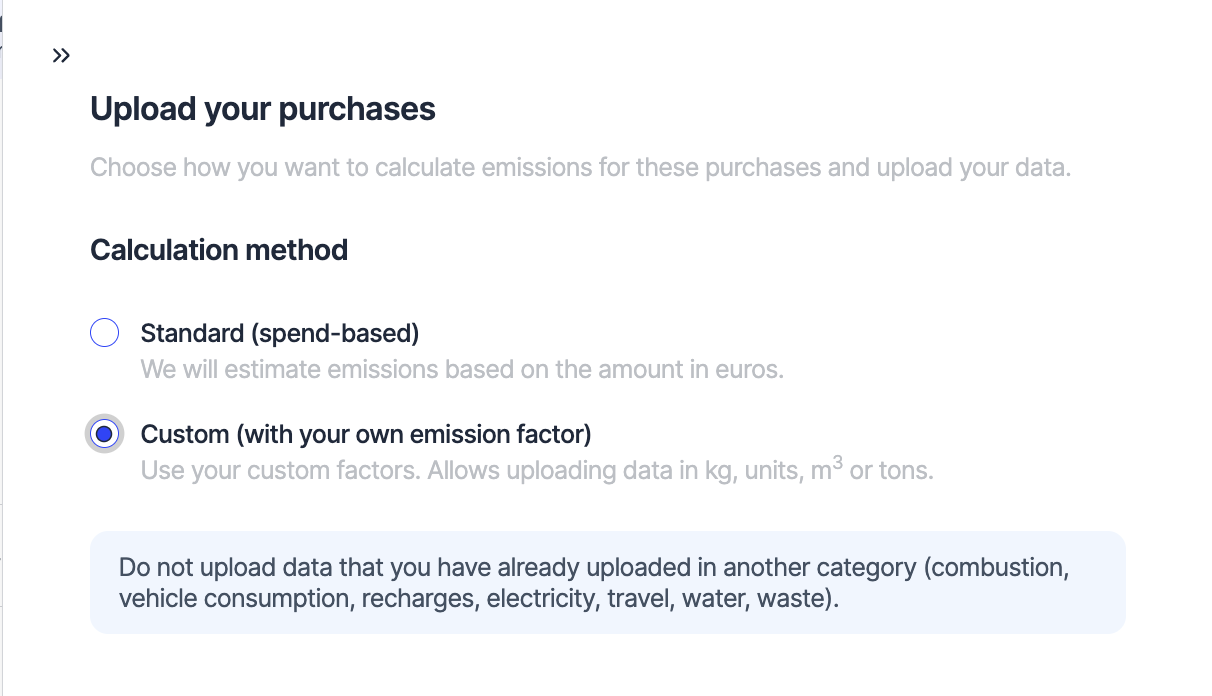
Review the entries before confirming the import. When registering purchases, you can choose between two calculation methods:
-
Standard (spend-based): we estimate emissions based on the amount in euros.
-
Custom (with your own emission factor): use your own factors for a more precise calculation, with data in kg, units, m3, or tons.
Why it matters
Manually managing custom emission factors can be slow and error-prone, especially when dealing with large volumes of purchase data. This feature allows sustainability teams to streamline data entry, reduce time spent on repetitive tasks, and ensure consistency across all records.
By using custom emission factors in bulk purchase uploads, your organization can more accurately reflect the real environmental impact of its acquisitions. This results in more reliable carbon footprint data, more precise calculations, and stronger reporting for audits or sustainability standards.
Access this feature from the Data > Purchases section of your account.